Quick Summary: This technical guide to robots.txt for AI search bots explains how to manage crawlers from OpenAI (GPTBot), Anthropic (ClaudeBot), and others. Learn essential commands, practical templates for different business types, and advanced strategies to protect your content, manage server resources, and ensure your technical SEO is ready for the new era of AI-driven web traffic.
Your robots.txt file is the first, and most important, line of defence for managing how AI bots from companies like OpenAI and Anthropic access your website. Consider this the technical guide to robots.txt for AI search bots—everything you need to control this new wave of traffic, protect your server, and stop unwanted content scraping. Getting this file right is a fundamental part of any modern technical SEO strategy.
Managing Permissions for OpenAI and Anthropic Crawlers

Think of your website's robots.txt file as the bouncer at the door of a club. For years, this simple text file managed a pretty predictable guest list. It gave clear instructions to the usual suspects—Googlebot, Bingbot—and was a straightforward, if often overlooked, part of technical SEO.
But the guest list has changed. A whole new crowd of AI bots, with very different intentions, are now showing up at your virtual front door. These bots, sent out by companies building large language models (LLMs), aren't just here to index your content for search results. They're here to hoover up data.
Understanding the New Crawlers
This new reality forces us to rethink our approach to robots.txt. It's not just about managing your crawl budget for the big search engines anymore. It’s now about protecting your intellectual property, keeping your server from buckling under the strain, and controlling how your hard work is used to power AI-generated answers.
You need to know who you're dealing with. The key players in this new game include:
- GPTBot: The web crawler OpenAI uses to gather data for models like GPT-4.
- ClaudeBot: The bot from Anthropic, the company behind the Claude family of AI models.
- Google-Extended: A specific user-agent Google uses just for its generative AI models, which operates separately from the main Googlebot.
At its heart, the Robots Exclusion Protocol (REP)—the standard that governs
robots.txt—is built on an honour system. You post the rules, and you have to trust the bots to follow them. Reputable crawlers do, but not all bots play fair, a problem we'll dig into later.
Why This Matters for Australian Businesses
For business owners here in Australia, properly configuring your robots.txt is no longer just a job for your developer. It’s a strategic decision. Get it wrong, and you could face serious headaches, from having your unique content scraped without permission to your server being hammered by aggressive bot traffic.
On the other hand, a well-structured robots.txt gives you precise control. It lets you roll out the welcome mat for the crawlers you want, like Googlebot, while politely showing the door to data-hungry AI bots that bring you zero direct SEO benefit.
This guide will give you the clarity—and the commands—to take back control.
Speaking the Language of Robots.txt

To get a handle on AI crawlers, you first need to understand how to talk to them. The robots.txt file isn't complicated; it's just a simple set of commands, or "directives," that give bots instructions. Think of it as putting up signs at the front gate of your website—each one with a clear, specific message for your visitors.
Essentially, robots.txt is a conversation happening between your web server and a bot. Getting this conversation right is the first major step in mastering this bit of technical SEO. The file is built from groups of rules, with each group starting with a User-agent and followed by your Allow or Disallow instructions.
The Core Commands Explained
Every rule you write in a robots.txt file needs to start by identifying who it's for. This is where the User-agent directive comes in. It’s just like addressing a specific person by name before you start talking.
For example, User-agent: * is the universal, catch-all command. The asterisk (*) is a wildcard that simply means "this rule applies to every single bot that comes by." It's your general instruction for the masses.
But when you're dealing with AI crawlers, you need to get specific. By naming a bot directly, like User-agent: GPTBot, you're ensuring that your instructions are only for OpenAI's crawler. This is powerful because it lets you treat different bots in completely different ways.
Once you’ve pointed out which bot you're talking to, you can give it instructions using Disallow and Allow.
- Disallow: This is your big "No Entry" sign. It tells a bot which directories or even specific files it's not allowed to touch.
- Allow: This directive is your override. It carves out an exception, letting you grant access to a specific file or sub-folder that sits inside an otherwise blocked area.
Using these two together gives you incredibly fine-grained control. You could block off an entire section of your site but still open the door to one important page within it.
Identifying the Key AI Bots
You can't write rules for bots you don't know the names of. Every major AI company has a unique user-agent string for its web crawlers, and knowing these is non-negotiable for writing rules that actually work.
Here’s a quick-reference table identifying the official user-agent strings for major AI companies, helping you target directives accurately.
Key AI Bot User-Agents and Their Purpose
| AI Bot | User-Agent String | Company | Primary Purpose |
|---|---|---|---|
| GPTBot | GPTBot |
OpenAI | Data collection for training ChatGPT models. |
| Google-Extended | Google-Extended |
Used for improving Google's generative AI models like Gemini. | |
| ClaudeBot | ClaudeBot |
Anthropic | Gathers data to train Claude AI models. |
| PerplexityBot | PerplexityBot |
Perplexity AI | Powers the Perplexity AI-native search engine. |
| Common Crawl | CCBot |
Common Crawl | Archives web data for public research and AI training. |
This list is your cheat sheet for creating precise rules. For instance, if you want to block OpenAI's bot but give Google's AI bot a free pass, you’d simply create separate rules targeting GPTBot and Google-Extended.
Using Wildcards for Precise Control
This is where your directives get really powerful. The robots.txt standard supports two main wildcards that let you create flexible, efficient rules—a crucial part of any technical guide to robots.txt for AI search bots.
The asterisk (*) matches any sequence of characters. It’s perfect for blocking whole groups of URLs at once.
Disallow: /private/*— This rule blocks access to absolutely every URL that starts with/private/.Disallow: /*.pdf— This handy rule stops crawlers from accessing any PDF file anywhere on your site, no matter what folder it's in.
The dollar sign ($) is more subtle; it marks the end of a URL. This lets you be incredibly specific.
Disallow: /directory/$— This blocks the/directory/page itself but allows crawlers to access everything inside it, like/directory/page.html.
By combining specific user-agents with precise
DisallowandAllowrules using wildcards, you can build a solid defence against unwanted data scraping while making sure the good bots have full access. Nailing this balance is what modern technical SEO is all about.
Guiding Bots with a Sitemap
Last but not least, one of the most helpful lines in your robots.txt file doesn't actually block anything. The Sitemap directive is there to tell bots where they can find your XML sitemap.
Sitemap: https://www.yourdomain.com.au/sitemap.xml
This is like giving a welcome visitor a map of your property, pointing out all the important places you want them to see. It helps all crawlers—both old-school search bots and new AI bots—find your most valuable content quickly and efficiently.
Knowing how your robots.txt file affects Google Indexing is vital for managing what shows up in search results, and providing a sitemap is a fundamental first step. While it won't stop a badly behaved bot, it’s a standard best practice that ensures the good ones can do their job properly.
Why Some AI Bots Will Just Ignore Your Rules
Putting a robots.txt file on your server feels like putting up a clear "No Trespassing" sign on your property. For years, this has been a standard, accepted part of technical SEO. The big players like Google and Bing have always respected these signs.
But here’s the catch: the robots.txt protocol runs on an honour system. Not all bots are programmed to be honourable guests, and this is where things get tricky with the new wave of AI search bots.
You can really split web crawlers into two camps these days. In one corner, you have the well-behaved bots from the major search companies—think Googlebot, Bingbot, and even the AI-specific ones like Google-Extended. Their parent companies have a huge stake in keeping the web a cooperative and healthy place, so they play by the rules.
In the other corner, you’ve got the rogue data scrapers and less scrupulous AI crawlers. These bots often have a single-minded mission: hoover up as much data as they can get their hands on to train their language models. They'll walk right past your digital "No Trespassing" sign without giving it a second thought.
The Problem with Rule-Breakers
When bots ignore your rules, the fallout can be more serious than just a few extra lines in your server logs. The impact is real and can seriously mess with your online strategy.
Here are the most immediate headaches:
- Strained Server Resources: Aggressive crawlers hitting your site over and over can bog down your server. This can lead to painfully slow page load times or, in the worst-case scenario, crash your site entirely.
- Skewed Analytics: Unwanted bot traffic floods your analytics, making it nearly impossible to see what actual human visitors are doing. Good luck figuring out your real conversion rates or which content is truly popular.
- Content and IP Theft: Your unique articles, carefully crafted product descriptions, and private data can be scraped wholesale. This content is then used to train commercial AI models, often without your permission and certainly without compensation.
The fundamental weakness of
robots.txtis that it's a polite request, not a command. It asks bots to behave, but it has zero power to actually enforce its own rules. This makes it a pretty flimsy shield against crawlers built to ignore it.
This lack of real enforcement is becoming a bigger and bigger problem. We're seeing a worrying trend, especially for Australian publishers, where robots.txt is being disregarded more and more often.
The Widening Compliance Gap
Recent data paints a pretty clear picture: non-compliance is on the rise, particularly from AI-focused crawlers. For some Aussie sites, robots.txt files were ignored by an average of 30% of bots. Some specific AI bots blew past the rules a staggering 42% of the time.
This problem is made worse by the sheer volume of bot traffic, which has exploded from one bot per 200 human visits to nearly one for every 31. This non-enforcement, which relies entirely on the bot's goodwill, has had a devastating effect on click-through rates for publishers. You can read more about the growing parity between AI bot and human web traffic at TechRadar.
This completely changes the game. While a solid robots.txt file is still your essential first step for managing AI search bots, it’s just not enough on its own anymore. The rise of these rule-breaking crawlers means businesses now have to think about more active, server-level defences to truly protect their digital assets and keep their website running smoothly. Think of robots.txt as just the first layer in a much deeper defence strategy.
Practical Robots.txt Setups for Your Business

Let's be clear: there's no such thing as a one-size-fits-all robots.txt file. The ideal setup for a local plumber in Melbourne is worlds away from what a national eCommerce giant needs. Your business model is the single biggest factor in deciding which parts of your site are valuable and which are just noise for crawlers.
This section breaks down some practical, commented templates for common Australian business types. Think of these not as rigid rules, but as starting points that explain the why behind each directive. It’s all about helping you understand how to shield your site and steer bots in the right direction.
Setup for Australian eCommerce Websites
For any online store, crawl budget is king. You need Googlebot spending its precious time on your actual product and category pages, not getting tangled up in a web of filtered search results that offer no unique value. The whole game here is to block low-value URLs to focus the crawler's attention where it counts.
Here’s a solid foundation for an Aussie eCommerce site:
User-agent: *
# Block all bots from crawling filtered results and internal search pages
Disallow: /*?*sort=
Disallow: /search/
Disallow: /cart/
Disallow: /checkout/
Disallow: /my-account/

# Block OpenAI's GPTBot from training on your product descriptions
User-agent: GPTBot
Disallow: /

# Explicitly allow Google's AI bot to access your site
User-agent: Google-Extended
Allow: /

# Point all bots to your sitemap
Sitemap: https://www.yourecommercestoreaustralia.com.au/sitemap.xml
What's happening in this file?
- Blocking Parameters: That
Disallow: /*?*sort=line is a lifesaver. It stops bots from crawling countless sorted or filtered versions of category pages, which create mountains of duplicate content. - Protecting User Areas: Disallowing
/cart/,/checkout/, and/my-account/is just good housekeeping. It keeps private user areas away from crawlers and saves that all-important crawl budget. - Controlling AI Bots: We've put up a stop sign for GPTBot but rolled out the welcome mat for Google-Extended. This strikes a nice balance between protecting your unique content and playing ball with Google's newer AI features.
Setup for Local Service Businesses
If you're a local Aussie business—a tradie, a consultant, or a café—your robots.txt file has a simpler, but no less critical, job. The main goal is to protect your backend systems while giving every crawler a clear, open path to your service and location pages.
For service-based businesses, clarity is key. Your goal is to give bots an unobstructed path to the content that drives leads—your services, contact information, and service area pages—while keeping them away from the administrative parts of your website.
A typical setup might look something like this:
User-agent: *
# Block access to the WordPress admin area
Disallow: /wp-admin/

# Allow access to a specific file needed for AJAX functionality
Allow: /wp-admin/admin-ajax.php

# Prevent crawling of login pages or client portals
Disallow: /login/
Disallow: /client-portal/

# Block AI bots you don't want scraping your content
User-agent: ClaudeBot
Disallow: /

User-agent: PerplexityBot
Disallow: /

# Point all crawlers to your sitemap
Sitemap: https://www.yourlocalbusiness.com.au/sitemap.xml
This configuration is lean and focused. It cleverly uses the Allow directive to punch a single hole for admin-ajax.php. This file is often essential for themes and plugins to work correctly, so you want it accessible even while the rest of the /wp-admin/ directory is firmly locked down.
Setup for Multi-Location Brands
For a national brand with storefronts dotted across Australia, the robots.txt needs to accommodate a more complex site structure. Your priority is ensuring every individual store or branch page is crawled efficiently so it can pop up in local search results.
The strategy here is to stop crawlers from wasting time in centralised, non-public directories.
User-agent: *
# Block internal tools, asset folders, and backend systems
Disallow: /internal/
Disallow: /assets/pdf/
Disallow: /intranet/

# Ensure all individual location pages are crawlable (assuming a URL structure like /locations/vic/melbourne)
Allow: /locations/

# Block AI data scrapers from training on your content
User-agent: GPTBot
Disallow: /

User-agent: CCBot
Disallow: /

# Provide sitemap location
Sitemap: https://www.yournationalbrand.com.au/sitemap.xml
In this example, we’ve explicitly used Allow: /locations/ to signal to bots that this entire section is a high-priority area. At the same time, we've blocked Common Crawl's CCBot and GPTBot to prevent our location data and content from being harvested wholesale.
The examples above provide a great starting point, but every website is unique. To make it even clearer, let's compare the core strategies for these different Australian business models.
Robots.txt Directive Strategy by Business Type
| Business Type | Key Areas to Disallow | Key Areas to Allow | Primary Goal |
|---|---|---|---|
| eCommerce | /?sort=, /search/, /cart/, /checkout/, /my-account/ |
Main product & category pages, Google-Extended |
Maximise crawl budget on money-making pages; prevent duplicate content issues from filters. |
| Local Service | /wp-admin/, /login/, /client-portal/ |
/wp-admin/admin-ajax.php |
Protect backend/admin areas while ensuring all public-facing service and contact pages are visible. |
| Multi-Location | /internal/, /assets/, /intranet/ |
/locations/ |
Guide crawlers to individual store pages for local SEO while blocking internal, non-public directories. |
Ultimately, a smart robots.txt file is about efficiency. You're telling search engines, "Hey, don't waste your time over there—all the good stuff is over here." Adapting these templates to your own site structure is a foundational step in solid technical SEO.
How to Test and Monitor Your Directives
Setting up a robots.txt file and then forgetting about it is one of the most common—and dangerous—mistakes in technical SEO. Think of it like putting up road signs for your website. If a sign is wrong or falls over, you could cause a massive traffic jam or, even worse, send valuable visitors down a dead-end street. The only way to know your rules are working as intended for all crawlers, especially the newer AI bots, is to test and monitor your file regularly.
It's astonishing how much damage a single typo can do. One misplaced character in a Disallow rule could accidentally block your entire website from Google, causing your traffic to plummet overnight. It’s a simple mistake with huge consequences, which is why validating your file isn't just a good idea—it's absolutely essential.
Using Google Search Console for Testing
Your best friend for this job is Google's own robots.txt Tester, which you can find for free inside Google Search Console. This tool is gold because it shows you exactly how Googlebot sees your file, letting you catch critical errors before they can hurt your rankings.
It's brilliant for a few things:
- Spotting Syntax Errors: The tool instantly flags any dodgy rules, typos, or logical mistakes in your file.
- Testing Specific URLs: You can pop in any URL from your site and see if it's blocked for a particular Google user-agent, like the standard Googlebot or the new Google-Extended.
- Checking the Live Version: The tester always fetches the current, live version of your
robots.txtfile, so you’re testing what crawlers are actually seeing right now.
Monitoring Real-World Bot Activity
While testing tools are great for simulating what should happen, your server logs tell you what’s actually happening. Diving into these logs is the only way to get hard proof of which bots are visiting, how often they're coming, and whether they're playing by your rules. You can search your logs for user-agent strings like GPTBot or ClaudeBot to see if they’ve been trying to sneak into directories you’ve disallowed. This is your ground truth for spotting any aggressive or non-compliant crawlers.
A crawler needs to find your
robots.txtfile and get a 200 OK status code for it to mean anything. If it gets a 404 (Not Found) or any 5xx server error, it will just assume no rules exist and crawl everything. This completely defeats the whole point of having the file in the first place.
Making sure your directives are effectively managing crawler access is a huge part of your site's overall health. To get a full picture of your website's technical strength, it’s worth learning how to conduct an SEO audit, which will cover a deep dive into your robots.txt file and other crucial elements.
Ensuring Your File is Always Available
That server status code is a detail that often gets missed, but it's critical. The good news is that technical discipline seems to be improving. In 2025, Australian websites showed a solid improvement in robots.txt reliability. A heartening 85% of requests returned a valid 200 status code—up from 84% in 2024—which suggests better technical SEO practices are taking hold as AI bot traffic increases. This small but important bump shows that standardisation efforts are paying off, with 404 errors dropping to 13%, meaning fewer sites are accidentally leaving the door wide open for crawlers. You can dig into more of these SEO trends from the HTTP Archive Almanac.
At the end of the day, testing isn't a one-and-done job. Every single time you tweak your robots.txt file, you need to run it through a validator. This simple, disciplined habit is a cornerstone of any solid technical SEO strategy and ensures you stay in complete control of who accesses your site.
Advanced Strategies for Managing AI Crawlers
So, what happens when your carefully crafted robots.txt file is completely ignored by an aggressive or badly behaved bot? It’s a common frustration. You need to escalate your defences because relying on a polite request simply won't cut it with crawlers that don't play by the rules. This is where more robust, server-level strategies become a critical part of your technical SEO toolkit.
First, let's get one crucial distinction straight: the difference between crawling and indexing. Blocking a bot in robots.txt only stops it from crawling a page. It doesn't actually prevent the page from being indexed if other sites link to it. To explicitly stop indexing, you have to use a noindex tag in the page's HTML, which, ironically, requires the bot to crawl the page to see the command.
Moving Beyond Robots.txt
For those bots that treat your robots.txt directives as mere suggestions, you need a stronger approach. One of the most effective methods is to block them right at the server level. If your site runs on an Apache server, you can use your .htaccess file to deny access based on the bot's user-agent string. Think of it as a hard block that stops them before they even get a chance to request a page.
For instance, you can add rules to outright deny any requests from user-agents known for aggressive scraping. This isn't the honour system of robots.txt; it's a true gatekeeper for your website.
Leveraging a Content Delivery Network
For an even more powerful defence, look no further than a Content Delivery Network (CDN) like Cloudflare. Modern CDNs offer sophisticated bot management tools and a Web Application Firewall (WAF) that can filter out malicious traffic before it ever lays a finger on your server.
A WAF acts like a specialised security checkpoint for your website. It inspects incoming traffic against a set of rules and can automatically block known bad bots, scrapers, and other threats based on their behaviour, user-agent, or IP address, providing a much-needed layer of active protection.
The decision tree below outlines a simple workflow for figuring out your crawler management needs.
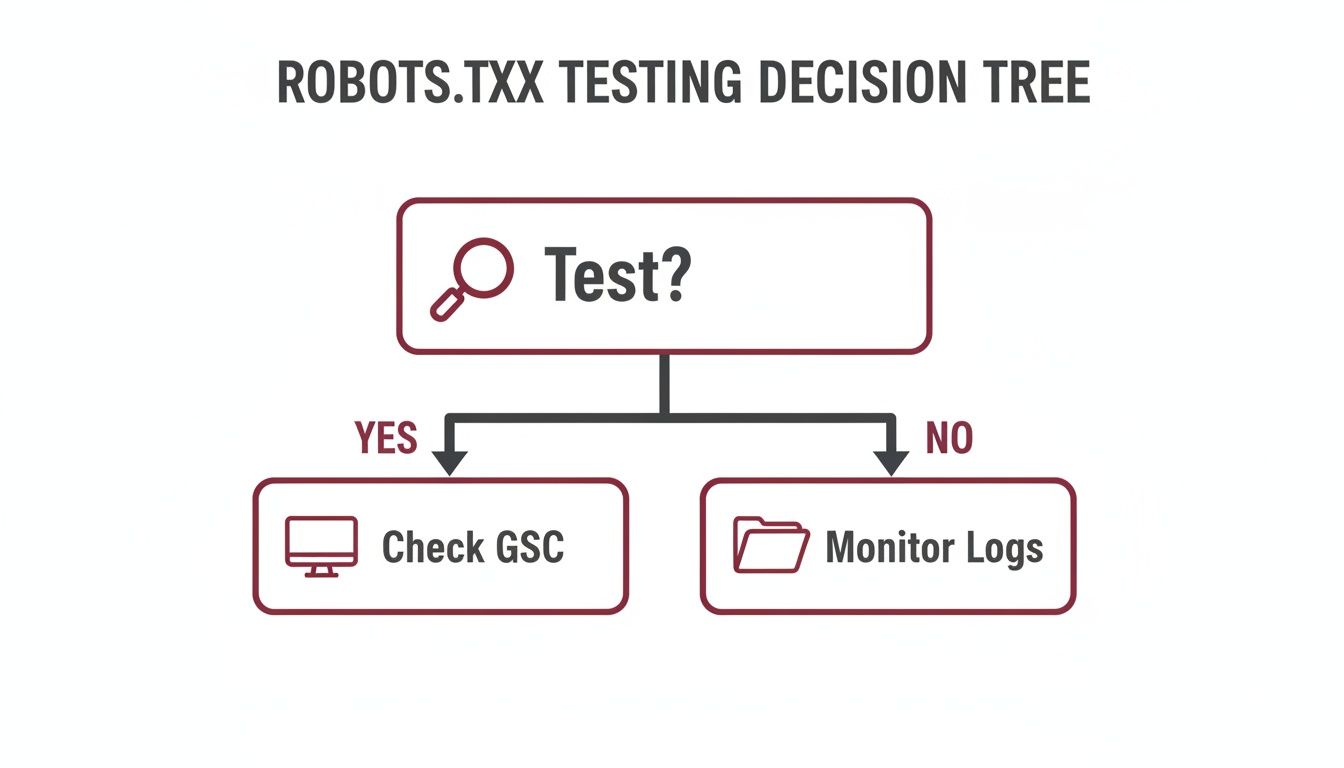
This process shows that proactive monitoring of your server logs is just as vital as the initial testing you might do in tools like Google Search Console.
And the need for these advanced measures is only growing. In the Australian digital space during 2025, AI bot traffic shot up by an incredible 87% on sites with analytics. This boom, driven largely by Retrieval-Augmented Generation (RAG) bots, really shines a light on the limitations of robots.txt as a purely passive defence. You can read more about this surge in AI bot traffic on Man of Many.
A Few Common Questions Answered
When you're dealing with AI crawlers for the first time, it’s natural to have questions. Let's tackle some of the most common ones I hear from business owners about managing their robots.txt file in this new era of AI.
Will Blocking Bots Like GPTBot Hurt My Google SEO?
Short answer: no. Blocking AI training bots like GPTBot or ClaudeBot won't directly hurt your rankings in Google Search or Bing. These bots have a completely different job and are separate from the crawlers that index your site for search, like the essential Googlebot.
The one you need to be careful with is Google-Extended. This is the user-agent Google uses for its own AI models. While blocking it today won't tank your current SEO, you might miss out on having your content featured in Google's future AI-driven search experiences.
How Can I Actually See Which AI Bots Are Visiting My Website?
The best way to get the real story is by looking at your server's raw access logs. These files are the definitive record of every single request made to your site, and each entry includes a "user-agent" string – think of it as the bot's digital fingerprint.
You can sift through these logs and search for known AI bot names like 'GPTBot' or 'Common Crawl'. This will show you exactly who is dropping by and what they’re looking at. If digging through raw log files sounds a bit much, some security plugins and advanced analytics tools can do the heavy lifting for you, often presenting the data in a much friendlier format.
Understanding the difference between a
robots.txtdisallow and anoindextag is one of the most critical concepts in technical SEO. Misusing them can lead to pages being indexed when you don't want them to be, or accidentally hiding content from search engines entirely.
What’s the Difference Between Disallowing in robots.txt and Using a Noindex Tag?
This is a classic and crucial distinction. A Disallow rule in your robots.txt file is basically a "do not enter" sign. You're asking compliant bots not to crawl that specific page or directory. But here's the catch: if another website links to that disallowed page, Google might still find out about the URL and index it without ever seeing the content.
A <meta name="robots" content="noindex"> tag, on the other hand, is a direct command placed in the HTML of the page itself. It tells search engines, "You can look, but do not include this page in your search results." For this to work, you have to let the bot crawl the page so it can actually read the noindex command.
Is It Better to Block All Bots and Only Allow a Select Few?
That's a very restrictive approach, often called an "allowlist." You'd start by blocking every bot (User-agent: * Disallow: /) and then punch specific holes in the wall with Allow rules for crawlers you trust, like Googlebot.
While this gives you absolute control, it's also high-maintenance and carries some risk. A new, beneficial bot could come along, and if you forget to add it to your allowlist, you could be missing out. For most Australian businesses, a more practical strategy is to allow crawling by default and then specifically block the troublesome bots you identify. It's much easier to manage.
Ready to make sure your website is set up to handle AI crawlers and stay ahead in the search rankings? The expert team at Anitech provides in-depth technical SEO audits and strategic management to protect your site and drive real growth. Contact us today for a free consultation and see how we can help.