Quick Summary: This guide explores the critical role of connected schema markup in modern technical SEO. Learn how to implement linked JSON-LD to build a cohesive entity graph, improving how search engines like Google understand your website. We'll cover identifying core entities, mapping relationships, writing the code, and validating your implementation to boost visibility, earn rich snippets, and prepare for AI-driven search.
If you've ever felt like your SEO efforts were just a collection of disconnected tactics, you're not alone. But what if you could connect all the dots for Google, telling it a clear, cohesive story about your business, your products, and your expertise? That’s exactly what connected schema markup does. This advanced technical SEO: connected schema markup strategy is about implementing JSON-LD for advanced entity recognition, moving beyond simple tags to create a web of meaning for search engines.
This isn't just about marking up a single product anymore. It’s a powerful technical SEO strategy that uses linked JSON-LD to build a web of structured data. Think of it as creating a detailed map for search engines, showing how your company is related to the products it sells, the articles it publishes, and the reviews it earns. It transforms isolated data points into a coherent 'entity graph'. This guide will walk you through exactly how to leverage this technique to improve your site's visibility and future-proof your SEO against the rise of AI search.
Why Is Connected Schema a Game-Changer in Technical SEO?
At its heart, connected schema is about moving past simply labelling things on a page. It's about building context. Instead of just telling Google "this is a product," you’re explaining how that product is made by a specific brand, reviewed by a particular person, and sold by your organisation. This is the shift from old-school, keyword-focused SEO to modern, entity-based optimisation, a cornerstone of any robust technical SEO: connected schema markup strategy.

From a Jumble of Facts to a Clear Narrative
Imagine your website's data is a box of puzzle pieces. A single Product schema is one piece, an Article is another, and your LocalBusiness info is a third. Without any connections, you're leaving it up to Google to figure out how they all fit together. Sometimes it gets it right, sometimes it doesn't.
Connected schema is like handing Google the picture on the front of the box.
We do this using a deceptively simple but powerful attribute in the JSON-LD code: the @id. This little tag acts as a unique web address for every single entity you define. By referencing that @id in other pieces of schema, you create a direct, unbreakable link.
For example, you can explicitly state that the author of your latest blog Article is a Person entity, and that very same Person is also the founder of the Organization publishing the content. Suddenly, you’ve built a logical, machine-readable story that search engines can't misinterpret. This clarity is essential for advanced entity recognition.
Why This Matters for Your SEO in Australia
As search algorithms get smarter, they're hungry for this kind of relational context. It's what allows them to deliver the rich, accurate, and helpful results users demand. This technique is a cornerstone of technical SEO. To see where it fits in the bigger picture, it helps to understand the distinction between on-page SEO vs. off-page SEO, as schema is one of the most potent on-page tools we have.
The payoff for building out a clear entity graph for your business is huge:
- Better Rich Snippets: Google is far more likely to grant you those eye-catching rich results—star ratings, pricing, stock levels, FAQs—when it has zero doubt about how your data is connected.
- A Stronger Knowledge Panel: By clearly defining your organisation, its founders, location, and products, you’re spoon-feeding Google’s Knowledge Graph. This directly increases your chances of owning a comprehensive brand panel in search results.
- Getting Ready for AI Search: The new wave of AI Overviews and generative search features leans heavily on structured, connected data to build its answers. A solid entity graph positions your website as an authoritative source for these AI systems to pull from.
Connected schema acts like an API for AI crawlers. It provides the structured logic they need to reason about your content and relationships. Unstructured text, on the other hand, often requires more interpretation and can lead to ambiguity.
At the end of the day, connected schema isn't just some technical box-ticking exercise. It’s about making your website's information so clear that a machine can't get it wrong. You're translating your business, your products, and your expertise into a language that search engines don't just read, but truly understand.
Why Connected Schema is a Game-Changer for SEO
In the ever-shifting world of search, just having great content isn't enough to stay visible. It’s no longer about ranking for a list of keywords; it's about becoming the definitive, trusted answer that search engines turn to first. This is where a sharp technical SEO: connected schema markup strategy stops being a 'nice-to-have' and becomes essential.
For any business in Australia, whether you're a local cafe in Melbourne or a national e-commerce site headquartered in Sydney, the mission is the same. You need to tell machines exactly what your business is, what you offer, and why you’re an authority in your space, all in a language they can process instantly. Connected schema is that translator, taking you beyond isolated data points to weave a rich, contextual story about your brand.
Thriving in the Age of AI Overviews
The rise of AI-powered search and "zero-click" results has completely changed how people find information. Your customers now expect instant answers right there on the search results page, often without ever clicking through to a website. This is a massive challenge, but it's also a huge opportunity.
Consider the Australian search landscape. Google dominates with a staggering market share, and a significant portion of searches now end without a click. This is largely driven by AI Overviews and rich features. On top of that, Australia is a key market where AI search adoption is growing rapidly.
What does this mean for you? Being the source for these answers is critical. Proper schema markup can significantly boost your chances of being cited in an AI-generated response. You can dig deeper into these search engine usage statistics and see how they're impacting Australian businesses.
The takeaway here is simple: if you're not optimising to be featured in these AI-driven answers, you’re becoming invisible to a huge and growing slice of your audience.
Sending Unmistakable Signals to Google
Think of individual schema types like LocalBusiness, Service, Product, and Review as distinct, powerful signals. By themselves, they’re useful. But when you connect them using @id references, you're not just sending signals anymore—you're conducting a symphony of context that is impossible for Google to miss.
This is exactly what Google's own documentation on structured data talks about—how markup helps search engines understand a page's content to generate rich results.
This screenshot is a perfect example. Adding structured data to a recipe page turns a standard blue link into a rich snippet, complete with a photo, rating, and cooking time. It's instantly more appealing and informative. This visual upgrade is a direct result of giving search engines clear, structured context they can easily parse and display.
This process builds immediate trust with the user and can have a massive impact on your click-through rates. People are far more likely to click on a result that looks authoritative and already answers their questions at a glance.
By explicitly linking your entities, you remove all the guesswork for search engines. You are telling them, "This specific Product is sold by our Organization, and here are the Review ratings from our customers." That kind of clarity gets rewarded with better visibility.
A Real-World Australian Example
Let’s bring this to life with an example. Imagine "The Daily Grind," a popular cafe in Perth. Without connected schema, their website might have separate pages for their location, their menu, and customer testimonials. Google has to do the heavy lifting to connect the dots.
With a connected schema strategy, they can build an entity graph right into their code:
LocalBusinessSchema: Defines the cafe's name, Perth address, opening hours, and phone number. This entire block is given a unique@id.MenuSchema: This lists all their coffees and food. The crucial part is aproviderproperty that links directly to the@idof theLocalBusinessentity.ReviewSchema: Individual customer reviews are marked up, and each one uses anitemReviewedproperty that also points back to the cafe's@id.
Now, when someone searches for "best flat white near me in Perth," Google doesn't just see a webpage with those keywords. It sees a trusted LocalBusiness that offers a Menu including a "flat white," which has multiple positive Review entities linked directly to it.
This web of interconnected data makes The Daily Grind a far more authoritative and relevant result, positioning them to dominate local search queries and show up in rich snippets and map packs. This is the tangible power of implementing technical SEO: connected schema markup.
How to Design Your Website's Entity Graph
Alright, let's get practical. Moving from the 'what' to the 'how' is where you'll see the real impact of your technical SEO efforts. Designing your website's entity graph isn't about diving into code just yet—it's about strategy. Think of yourself as an architect sketching a blueprint before a single brick is laid.
This blueprint will map out the most important parts of your business and, crucially, define how they all relate to each other. This is the foundational step for creating powerful, connected schema markup that Google and other search engines can instantly understand.
This simple flowchart shows how your business information, once structured with schema, directly influences how you show up in the search results.
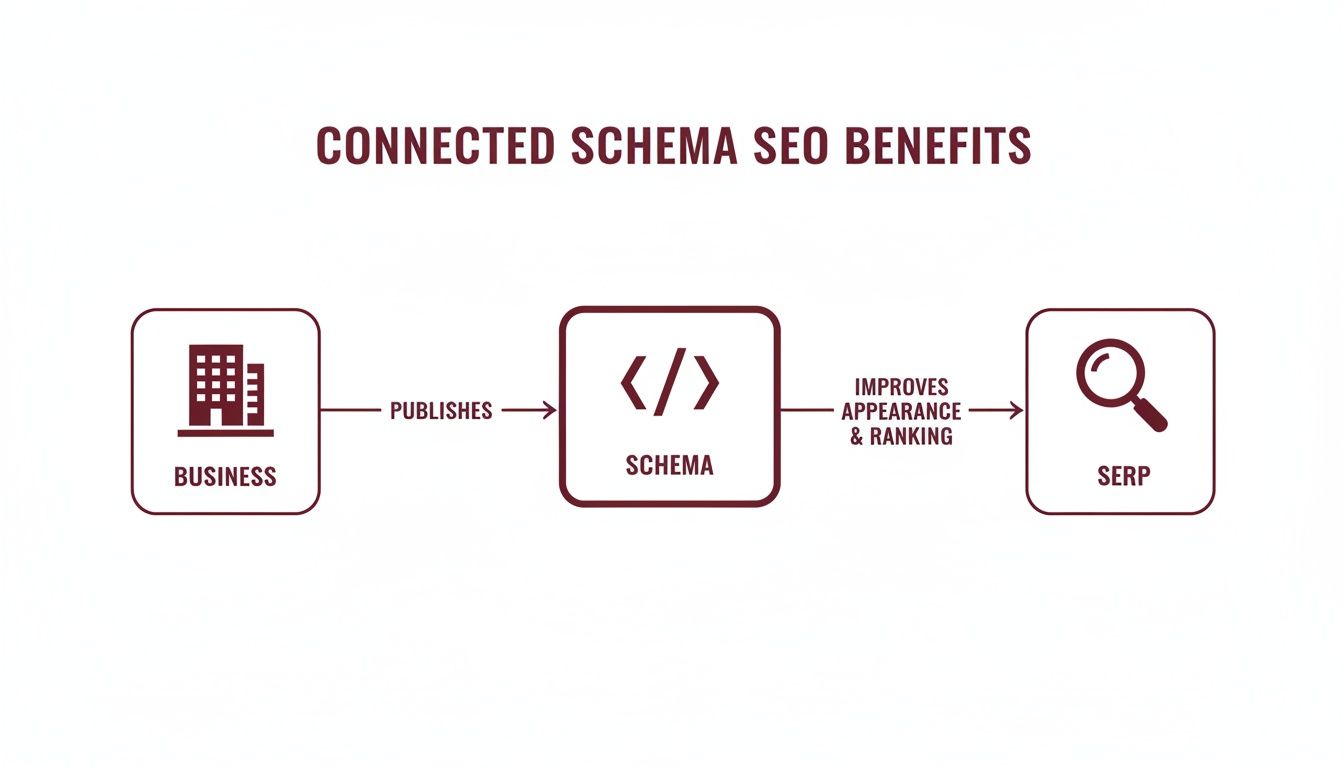
The key takeaway? Schema is the bridge between your website's data and how search engines perceive and display it. Get this right, and you're miles ahead.
Identifying Your Core Business Entities
Before you can connect anything, you need to know what you’re working with. Start by jotting down the most important 'things' that define your business. Don't get bogged down in technicalities at this point; just brainstorm the fundamentals.
For most Australian businesses, this list will usually include:
- Organisation/LocalBusiness: This is the mothership—the business entity itself. It’s your anchor.
- Products: The actual items you sell online or in your shop.
- Services: The specific expertise you offer to customers.
- Locations: If you have physical premises, each shopfront or office is its own distinct entity.
- People: Key individuals like the founder, CEO, or resident subject matter expert.
- Content: Your blog posts, how-to guides, and articles.
- Reviews/Ratings: Customer feedback tied to your products, services, or the business as a whole.
The goal here is to zero in on the entities that are most central to how your business runs and what your customers care about.
Mapping Relationships Between Entities
Got your list? Great. Now it's time to map out their relationships. This is where the 'connected' part of connected schema markup truly comes to life. You’re essentially defining the logical links that tell search engines a cohesive story about your business.
Think about how these things interact in the real world. A product doesn't just exist in a vacuum; it’s offered by an organisation. A blog post is written by a person. A service is provided at a specific location.
The best entity graphs simply mirror your real-world business structure. If you can explain how two parts of your business are related in a conversation, you can—and should—define that relationship in your schema.
Let’s walk through a couple of common scenarios for Aussie businesses.
Core Entities and Their Connections for Different Business Types
To make this even clearer, here’s a breakdown of how different business models might structure their schema. Think of this table as a cheat sheet for building your own entity graph.
| Business Type | Primary Entity | Connected Entities (Examples) | Key Relationship Property |
|---|---|---|---|
| Australian E-commerce Store | Product |
Offer, AggregateRating, Organization (as manufacturer/seller) |
offers, manufacturer |
| Local Service (e.g., Plumber) | LocalBusiness |
Service, Person (as founder), Review |
provides, founder |
| Professional Services (e.g., Law Firm) | ProfessionalService |
Service, Attorney (as employee), hasOfferCatalog |
employee, serviceType |
| Online Publisher/Blog | WebSite or Organization |
Article, Person (as author), VideoObject |
author, mainEntity |
| SaaS Company | SoftwareApplication |
Organization (as provider), Offer, HowTo (for tutorials) |
provider, applicationCategory |
This table shows that while the entities might be similar, the relationships you emphasise will change depending on what's most important to your business model. For an e-commerce site, the link between a Product and its Offer is paramount. For a local plumber, it's the connection between the LocalBusiness and the Service it provides.
E-commerce Website Scenario
Imagine an online store based in Melbourne selling boutique coffee beans. Their entity graph sketch could look something like this:
- Start with
Organization: This is the parent company, "Melbourne Coffee Roasters." - Connect to
Product: TheOrganizationis themanufacturerof a specific product, like "Single Origin Ethiopian Yirgacheffe Beans." - Link
ProducttoOffer: ThisProducthas anOfferwhich specifies details like the price (e.g., $25.00 AUD) and availability. - Add
AggregateRating: TheProductis also connected to itsAggregateRating, showing it has an average of 4.8 stars from 50 reviews. - Connect
Review: IndividualReviewentities can then be linked back to theProduct, providing the specific testimonials that make up the aggregate rating.
This structure creates a clear, logical flow: the company makes a product, which has a price, and here's what real customers think of it.
Local Service Business Scenario
Now, let's picture a plumbing company that services the Sydney area. Their entity graph would be quite different, focusing more on services and location.
- Start with
LocalBusiness: The primary entity is "Sydney Emergency Plumbers." - Connect to
Service: TheLocalBusinessprovidesaServicecalled "Blocked Drain Clearing," which likely has its own dedicated page. - Link
ServicetoFAQPage: The "Blocked Drain Clearing" page contains anFAQPageschema, answering common customer questions about that specific service. - Connect to
Review: The mainLocalBusinessis linked toReviewschema that contains testimonials about the company's overall service and reliability. - Link to
Person: A keyPerson, the founder "John Smith," is linked as thefounderof theLocalBusiness.
Here, the graph establishes the business, the specific services it offers, helpful information about those services, and the people behind the brand. By sketching these relationships out first, you create a clear roadmap for implementation, ensuring your technical SEO: connected schema markup is both logical and incredibly effective.
Getting Your Hands Dirty: Implementing Linked JSON-LD Markup
Alright, you’ve mapped out your entity graph. Now it’s time to bring that blueprint to life by translating it into JSON-LD—the language search engines understand best. This is where the magic really happens, as we use code to forge the connections we’ve designed.
Don’t sweat it if you’re not a hardcore developer. The logic is surprisingly intuitive, and once you get the hang of the syntax, it all clicks into place.
We'll kick things off with a straightforward, common scenario before diving into a more detailed e-commerce example. The one thing to keep in mind throughout is the @id property. It’s the superglue holding your entire entity graph together.
Starting with a Simple Connection
Let’s begin with a classic relationship: linking a blog post (Article) to its author and the publisher. This is a foundational piece of context. Instead of just telling Google, "Here's an article," you’re providing the full picture: who wrote it and which organisation is backing it.
Here’s what the JSON-LD looks like for connecting these two entities, Article and Organization.
{
  "@context": "https://schema.org",
  "@graph": [
    {
      "@type": "Article",
      "@id": "https://anitech.au/blog/connected-schema-guide/#article",
      "headline": "A Guide to Connected Schema Markup",
      "publisher": {
        "@id": "https://anitech.au/#organization"
      },
      "author": {
        "@type": "Person",
        "name": "Jane Doe",
        "url": "https://anitech.au/about/jane-doe/"
      }
    },
    {
      "@type": "Organization",
      "@id": "https://anitech.au/#organization",
      "name": "Anitech",
      "url": "https://anitech.au",
      "logo": "https://anitech.au/logo.png"
    }
  ]
}
See the @graph property? It’s our container for defining multiple schema types in a single script. The real power move is the @id. The Article schema has a publisher property, but instead of repeating all the company info, it simply points to the unique identifier https://anitech.au/#organization. This creates an instant, unbreakable link to the Organization schema defined right below it. Simple and clean.
Building a Complex E-commerce Graph
Now, let's ramp it up for a typical Australian e-commerce product page. Here, we need to connect a Product to its Brand, the Offer (which covers price and availability), and customer Review data. This is a prime example of where a rich, connected schema implementation can really shine.
This isn’t just for the big players anymore. Schema markup adoption is on the rise even among Aussie SMBs. In fact, many small businesses are now implementing it. Interestingly, this shows that nimble businesses are prioritising structured data, sometimes outpacing large enterprises. You can check out more stats on the state of schema markup adoption.
For an online store, this connected approach can be the difference-maker for getting those compelling, information-rich results in Google.
{
  "@context": "https://schema.org",
  "@graph": [
    {
      "@type": "Product",
      "@id": "https://yourstore.com.au/products/aussie-widget/#product",
      "name": "The Aussie Widget Pro",
      "description": "The best widget for Australian conditions.",
      "brand": {
        "@id": "https://yourstore.com.au/#brand"
      },
      "offers": {
        "@id": "https://yourstore.com.au/products/aussie-widget/#offer"
      },
      "aggregateRating": {
        "@type": "AggregateRating",
        "ratingValue": "4.9",
        "reviewCount": "127"
      }
    },
    {
      "@type": "Brand",
      "@id": "https://yourstore.com.au/#brand",
      "name": "Widget Co Australia"
    },
    {
      "@type": "Offer",
      "@id": "https://yourstore.com.au/products/aussie-widget/#offer",
      "url": "https://yourstore.com.au/products/aussie-widget/",
      "priceCurrency": "AUD",
      "price": "99.95",
      "availability": "https://schema.org/InStock",
      "seller": {
        "@id": "https://yourstore.com.au/#organization"
      }
    },
    {
      "@type": "Organization",
      "@id": "https://yourstore.com.au/#organization",
      "name": "Your Store Pty Ltd"
    }
  ]
}
In this scenario, the Product acts as the central hub. It uses @id references to point to the Brand that manufactures it and the Offer that details its price. The Offer then links back to the Organization acting as the seller. Each piece of information is its own distinct entity, but they're all interlinked, creating a clear and powerful entity graph for search engines to process.
Choosing Your Deployment Method
Once your JSON-LD is written, you need to get it onto your website. There are a few ways to tackle this, each with its own pros and cons.
- Direct HTML Injection: The most straightforward path. Just place the
<script type="application/ld+json">tag directly into the<head>or<body>of your HTML. This is great for static sites or if you have direct access to your theme files. - Google Tag Manager (GTM): A fantastic workaround if you can't touch the site's code directly. You can create a Custom HTML tag in Google Tag Manager, paste your JSON-LD script inside, and set triggers for the specific pages where it should fire. This also keeps your SEO efforts nicely separated from development work.
- CMS Plugins and Apps: Platforms like WordPress and Shopify have a whole ecosystem of plugins built for schema. Tools like Yoast SEO (with its add-ons), Rank Math, or dedicated schema apps for Shopify can handle a lot of the heavy lifting. The trade-off is that they might offer less flexibility for highly customised, complex graphs.
The best method is the one you can actually manage and scale. For a few high-priority pages, manual injection or GTM is perfectly fine. But for a large e-commerce store with thousands of products, an automated, plugin-based approach is often the only sane way to maintain your technical SEO: connected schema markup at scale.
Testing and Validating Your Connected Markup
Alright, you’ve put in the hard yards designing your entity graph and authoring the JSON-LD. But your job isn't quite done. Before you can celebrate, you need to be absolutely certain that search engines can read and make sense of the intricate web you’ve just built.
This validation step is non-negotiable. It's the final quality check that ensures all your effort actually translates into real SEO gains.
Luckily, Google gives us some excellent, free tools for this exact job. And when it comes to validating connected schema, having the best free SEO tools in your back pocket can make the whole process much smoother. The two main players here are the Rich Results Test and the Schema Markup Validator.
Using Google's Rich Results Test
Think of the Rich Results Test as your first port of call. It’s designed to check if your page is eligible for Google’s flashy search features, like those handy FAQ accordions or star ratings in the search results. For our purposes, it’s invaluable for validating your structured data and flagging any critical errors that would stop Googlebot in its tracks.
You can either pop in a live URL or just paste your code snippet directly. When you're working with connected schema, this test is where you'll see if Google has picked up all your linked entities and properly understood how they relate to each other.
It’s as simple as plugging in your code or URL to get started.

A clean bill of health looks like a big green checkmark, followed by a list of the specific rich results your page qualifies for. That’s your confirmation that the markup is valid.
Interpreting Validation Results for Connected Entities
Getting a green tick is great, but with technical SEO: connected schema markup, you need to dig a bit deeper. We're not just checking for validity; we're confirming the connections.
Here’s what I always look for in the report:
- Detected Items: The tool will list out all the top-level schema types it found, like
Product,Organization, orOffer. You need to click into each one to see the details. - Nested Properties: This is where the magic happens. Inside your
Productitem, for example, look at properties likebrandoroffers. If you’ve linked them correctly with an@id, the validator won't just sayBrand; it will show the name of the linked entity, like Brand: "Widget Co Australia". That’s how you know the link worked. - Errors vs. Warnings: Learn to spot the difference. Errors are showstoppers. They are problems you absolutely must fix. Warnings, on the other hand, are more like suggestions for recommended properties you've missed. They aren't critical, but filling them in will make your schema even more powerful.
A common issue is a broken @id reference. Let's say your Product schema tries to link to an Offer with @id: "…#offer", but in the Offer block, the ID is missing or you’ve mistyped it. The connection fails, and the validator will immediately flag it as an error.
The Schema Markup Validator
For a more granular, purely technical deep dive, the Schema Markup Validator is your best friend. It’s hosted by schema.org itself and doesn’t care about Google's rich results—it just gives you a raw, detailed breakdown of every single entity and property on the page.
I find this tool fantastic for untangling really complex entity graphs. It visually nests the connected items, making it dead simple to trace the relationships you've built with your code. If a property isn't showing up where you expect it to, it's almost always down to a syntax error or a misplaced curly bracket in your JSON-LD.
Making a habit of using both tools gives you the best of both worlds. You can ensure your markup is technically perfect while also being optimised for maximum impact in Google’s search results.
Common Mistakes and Advanced Strategies
Diving into connected schema markup is a massive leap forward for your technical SEO. But like any powerful tool, it’s easy to get it wrong. Getting ahead of the common pitfalls from the start will save you a world of headaches and ensure your structured data actually does its job. Once you have the basics down, you can start exploring the more advanced tactics that really make a difference.
So many people trip up at the first hurdle: using incorrect or inconsistent @id references. This is hands-down the most critical mistake you can make. The @id is the glue holding your entire entity graph together; one tiny typo and the connection is broken.
Another classic error is creating circular dependencies. This is where you have Entity A linking to Entity B, which then links right back to Entity A, creating an endless loop. It might seem logical at a glance, but it just confuses crawlers and adds zero semantic value.
Avoiding Common Schema Pitfalls
To keep your entity graph clean and effective, you really only need to focus on a few key things. First up, don't overcomplicate it. I've seen people try to connect every single possible entity, which just results in bloated, nightmarish code that’s impossible to maintain. Just stick to the most important relationships that define your business and the page's content.
A simple, well-structured graph is always more powerful than a complex mess.
- Dodgy
@idUsage: Always, always double-check that the@idyou're referencing is an exact match to the@idwhere you defined the entity. The best practice here is to use absolute URLs with a unique fragment identifier (like#product) to kill any chance of ambiguity. - Forgetting the
@graphContainer: If you're defining multiple, interconnected entities on one page, you have to wrap them in a@grapharray. This is the signal to search crawlers that all these pieces belong to one cohesive dataset. - Skipping Validation: Never, ever deploy schema without running it through a validator first. Use tools like the Google Rich Results Test to catch errors before they go live. Pushing schema without testing is like publishing a blog post without a single proofread – you’re just asking for trouble.
Advanced Strategies for Maximum Impact
Once you’re feeling confident with your implementation, it's time to level up. A key strategy is knowing when to nest schema versus when to link it. Nesting is perfect for tightly coupled relationships, like an Offer that only exists within a Product. But for connecting distinct, top-level entities on the page (like a Product and an Organisation), linking with @id is the way to go.
Another powerful property to use is mainEntity. For example, on a product page, you can explicitly declare your Product schema as the mainEntity of the WebPage. This literally tells Google, "Hey, this product is the main point of this page," which removes any guesswork on its part.
The real game-changer with technical seo: connected schema markup is when you start generating it dynamically. For any decent-sized e-commerce site, manually writing JSON-LD for thousands of products is just not feasible. Get a developer to write scripts that pull data directly from your product database. This will automatically generate perfect, connected schema for every single page.
This dynamic approach is the key to making your schema strategy scalable and consistently accurate. It's the backbone of any serious, enterprise-level implementation.
Monitoring the Impact on Your Performance
Okay, the final and most crucial step: monitoring your results. Pushing code without measuring its impact is just guessing. Your best friend here is going to be Google Search Console. Jump into the Performance report and start filtering by the pages where you've rolled out your new schema.
You're looking for uplifts in clicks and impressions for specific rich result types. Here in Australia, with AI-driven search becoming the norm, this interconnected data is vital. We know that as search behaviour changes, with many sessions now being clickless, a solid technical SEO approach using connected schema has been shown to deliver an uplift in citations within AI-generated answers. Why? Because weaving together schemas like Product, Review, and BreadcrumbList massively boosts Google's understanding, leading to indirect SEO wins like better overall SERP visibility. You can find more insights on how Google's AI mode impacts Australian businesses.
Also, keep a close eye on the "Enhancements" section in Search Console. It’s your early warning system, flagging any errors Google finds in your schema over time. This lets you jump on issues proactively and protect your eligibility for those valuable rich results.
Ready to transform your website's visibility and dominate the search results? At Anitech, we specialise in data-driven technical SEO that delivers measurable growth for Australian businesses. Our expert team builds powerful, connected schema strategies that get you noticed. Schedule your free consultation today!