Quick Summary: Optimising crawl budget for large domains is critical for ensuring search engines index your most important pages. This guide covers technical SEO strategies for eliminating crawl waste, fixing depth issues, and improving indexing speed. Key tactics include log file analysis, strategic use of robots.txt and noindex tags, designing a shallow site architecture, and enhancing server performance to maximize crawl efficiency and drive revenue.
When you're dealing with a massive domain, getting a handle on your crawl budget isn't just a "nice-to-have" part of technical SEO—it's absolutely fundamental. It’s about making sure Google's bots spend their limited time on your most important pages, not getting tangled up in a web of low-value URLs. For any site with thousands, let alone millions, of pages, every single crawl counts. Optimising crawl budget for large-scale domains is the bedrock of your entire SEO strategy.
Think of it as the bedrock of your entire SEO strategy for a large-scale website.
Why Crawl Budget Is a Big Deal for Large-Scale Domains
Imagine Googlebot is a librarian sent to catalogue a gigantic warehouse full of books, but they've only got a few hours. If the warehouse is well-organised, with clear signs pointing to the new bestsellers, the librarian can work efficiently, getting all the important stuff catalogued and ready for readers.
But what if it's a total mess? Duplicate copies everywhere, dead-end aisles, unmarked boxes… the librarian wastes precious time on junk, and the most valuable books might never get discovered. This is a common crawl depth issue on large websites.

Your website is that warehouse. Your crawl budget is the librarian's time.
When it's mismanaged, the impact on revenue is direct and often painful. New product lines might be invisible during a critical sales event, or key service pages could be overlooked for weeks, all because Googlebot wasted its resources crawling faceted navigation parameters or staging environments. This is a classic example of crawl waste.
Before diving into a full audit, it helps to know what you're looking for. A wasted crawl budget often leaves behind a clear trail of evidence.
Key Symptoms of a Wasted Crawl Budget
| Symptom | Potential Cause | Business Impact |
|---|---|---|
| Slow Indexing of New Pages | Googlebot is too busy crawling low-value URLs (e.g., filtered navigations, duplicate content) to find new content. | New products, articles, or services are invisible in search, leading to lost sales and traffic opportunities. |
| High Crawl Rate on Non-Essential URLs | Log files show significant crawl activity on pages that shouldn't be indexed, like archives, tags, or dev folders. | Wastes server resources and dilutes the perceived importance of your core content. |
| Key Pages Not Being Re-crawled | Important, recently updated pages are not being visited by Googlebot for long periods. | Updates to pricing, stock, or content aren't reflected in search results, potentially misleading users. |
| Sudden Spikes in Server Errors (4xx/5xx) | A misconfiguration or site issue is causing Googlebot to hit thousands of error pages, wasting its crawl quota. | Signals a poor user experience to Google, which can negatively affect rankings and overall site health. |
Recognising these symptoms is the first step toward getting your domain’s crawl efficiency back on track.
Crawl Rate vs. Crawl Demand: What You Need to Know
To really get this right, you have to understand the two core ideas Google uses to decide how much to crawl your site:
- Crawl Rate Limit: This is the technical ceiling—how much Google can crawl without overwhelming your server. A fast, healthy site gives Google the confidence to crawl more often. A slow site, or one that throws up a lot of errors, makes Google pull back.
- Crawl Demand: This is all about how much Google wants to crawl your site. It’s driven by two things: popularity and freshness. Popular URLs and content that's updated regularly create high demand. Stale, low-value pages? Not so much. Your goal is to crank up the demand for your high-value pages.
The Real-World Impact on Australian Businesses
In a market as competitive as Australia, the consequences of poor crawl management are severe. I’ve seen large e-commerce domains with over 500,000 pages where inefficient crawling meant 30-50% of new products were completely unindexed for weeks. Imagine that during the Black Friday rush.
This is a huge problem when you consider the top organic result gets a massive 29.5% click-through rate, which plummets to just 12.8% for the second spot. That data makes it crystal clear why timely indexing isn't just a goal; it's a necessity for Aussie retailers. If you want to dig deeper into local trends, the analysis of Australian keyword data from Red Search is a great starting point.
A wasted crawl budget isn't just a technical problem; it's a revenue problem. Every second a search engine bot spends on a useless URL is a second it's not spending on a page that could be making you money.
This whole process isn't just about getting pages indexed. It's about getting the right pages indexed, and fast. By actively optimising your crawl budget, you're essentially building an express lane for your most valuable content to hit Google's index and start driving traffic and revenue.
Unlocking Your Crawl Budget Secrets with Log File Analysis
If you really want to get serious about optimising crawl budget on a large-scale domain, you have to look beyond the usual dashboards. Sure, tools like Google Search Console give you a decent summary, but that’s only the story Google wants to tell you. The real, unfiltered truth—the complete record of every single handshake between Googlebot and your site—is sitting right there in your server logs.
Think of log file analysis as strapping a GoPro onto Googlebot. It’s the process of digging into these raw files to see your website exactly as a search engine crawler does. You get to see its exact path, what it cares about, where it gets tangled up, and just how much time it’s wasting.
For any large domain, this isn't just a "nice-to-have." It's mission-critical. I’ve seen it firsthand with a major retailer where a log file audit revealed that a staggering 40% of Googlebot's visits were wasted crawling expired promotion pages from three years ago. This kind of problem is completely invisible until you go to the source.
Getting Your Hands on the Data
First things first, you need to access those log files. They live on your web server, and you can usually grab them via FTP, SSH, or through your hosting provider’s control panel (like cPanel or Plesk). You’re looking for the access logs, which typically come in standard formats like Apache Common Log or Nginx.
Each line in a log file is a single "hit" or request to your server. It’s packed with clues:
- IP Address: Where the request came from.
- Timestamp: The exact date and time of the hit.
- Request Method: Usually GET (grabbing a page) or POST.
- Requested URL: The specific page or file being requested.
- HTTP Status Code: How the server responded (e.g., 200 for success, 404 for not found, 301 for a redirect).
- User-Agent: The signature of the browser or bot making the request—this is how we find Googlebot.
Trying to make sense of millions of these entries by hand is a non-starter. You absolutely need a specialised tool for the job.
The Right Tools for the Job
Your choice of tool really depends on the scale you're operating at and your team's technical skills. For most enterprise-level work, a dedicated log file analyser is the only way to fly.
- Screaming Frog Log File Analyser: This desktop tool is a workhorse and my go-to for most large domains. You can import your logs, verify genuine search engine bots, and—crucially—merge the data with a site crawl. This lets you spot URLs that are getting crawled but aren't in your sitemap, or find important pages that Google is flat-out ignoring.
- Splunk or ELK Stack: When you’re dealing with truly massive, high-traffic domains, you need the heavy hitters. Enterprise solutions like Splunk or the ELK Stack (Elasticsearch, Logstash, Kibana) can process enormous volumes of data in real-time. They’re perfect for creating custom dashboards to keep a constant eye on crawl activity.
- Custom Scripts: If you have developers on hand, writing custom scripts (Python is a popular choice) can be incredibly powerful. This allows you to parse logs and pull out very specific data points that are unique to your business needs.
No matter the tool, the first step is always to filter out the noise and zero in on verified search engine bot activity, especially Googlebot.
Log files don't lie. They are the ultimate, unbiased record of your site's technical health and how accessible it is to search engines. If a page isn't being crawled, it may as well not exist for Google.
Finding the Crawl Waste Black Holes
With your logs loaded and filtered, the detective work begins. Your mission is to hunt for patterns that scream "wasted crawl budget."
On large sites, the usual suspects are almost always tied to URL parameters and low-value pages. In fact, many technical SEO audits reveal that poor crawl budget management is a huge drain. On many large-scale Australian domains, this can lead to 35% of Googlebot's resources being spent on pages that don't matter, which directly slows down the indexation of your most important content. You can find more practical insights from Perceptiv Media's guide on crawl budget efficiency tailored for Aussie businesses.
Here’s exactly where to look:
- Faceted Navigation & URL Parameters: E-commerce sites are the classic example. Filters for size, colour, price, and brand can spawn millions of unique URL combinations. Your logs will tell you if Googlebot is dutifully crawling every single one—a colossal waste of resources.
- Endless Redirect Chains: Look for requests that result in a series of 301 or 302 redirects. Each hop in that chain is another request burned.
- A High Volume of 404 Errors: A few 404s are normal, but if your logs show Googlebot consistently hitting thousands of broken links, you have a problem that's actively siphoning your crawl budget.
- Crawling of Non-SEO Pages: Is Googlebot wasting its time on staging environments, internal search result pages, old PDFs, or API endpoints? These should almost always be blocked.
By pinpointing these black holes, you arm yourself with the data needed to build an undeniable case for your development team. It’s one thing to say, "we need to fix the navigation." It's another to show them a log report proving Googlebot made 200,000 requests to useless filtered URLs last month. This analysis delivers the proof you need to get critical technical SEO fixes prioritised and pushed live.
Using Strategic Directives to Eliminate Crawl Waste
Okay, so your log file analysis has pinpointed exactly where Googlebot is wandering off and wasting its time. Now it's time to stop just observing and start conducting. This is where you put on your technical SEO hat and use strategic directives to guide crawlers with near-surgical precision.
This isn't about slapping a generic Disallow in your robots.txt file and calling it a day. It’s about choosing the right tool for the right job to stop that crawl waste at the source.
For any large domain, especially in e-commerce, this almost always means tackling the beast that is faceted navigation. You know the drill—filters for size, colour, brand, and price that can generate millions upon millions of URL parameter combinations. Leaving these unchecked creates a virtual black hole for your crawl budget. It’s like asking Googlebot to catalogue every single grain of sand on Bondi Beach; it's a pointless, exhausting task.
The whole point of a log file audit is to find these black holes so you know where to act.
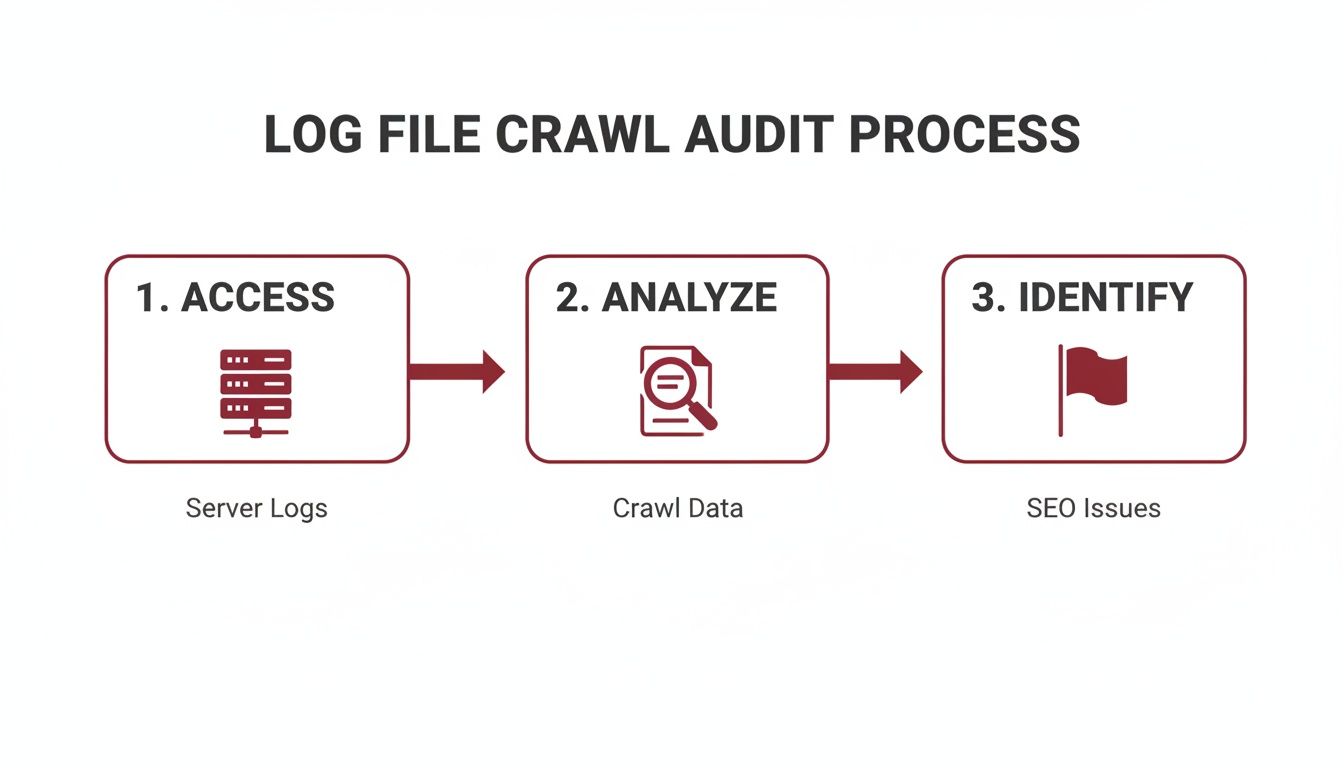
The insights you get from this process directly tell you which directives will be most effective at blocking crawlers from low-value paths, letting you reclaim that budget for the pages that actually matter.
Choosing Your Weapon: Robots.txt vs. Meta Tags
Your first line of defence, and often the bluntest instrument in your toolkit, is the robots.txt file. Think of it as the bouncer at the door of your website, telling search engine bots which areas are off-limits before they even try to get in. It's incredibly powerful for blocking entire sections or specific URL patterns right from the get-go.
For instance, if your site generates URLs with parameters for sorting (sort=price_asc) and different views (display=grid), you can block them all with a couple of simple directives:
User-agent: *Disallow: /*?sort=Disallow: /*?display=
This one move can stop Googlebot from crawling thousands of duplicate or thin pages. But there’s a big catch: robots.txt only controls crawling, not indexing. If a blocked page has links pointing to it from other websites, it can still end up in the search results.
That's where page-level directives like meta tags (noindex) and canonicals (rel="canonical") come into play. They give you far more granular control.
Mastering Noindex, Nofollow, and Canonicalisation
Understanding how these three directives differ is absolutely crucial, especially on large, complex domains. Each one has a very specific job to do.
The
noindexTag: This is your clear "do not enter" sign for Google's index. When Googlebot sees a page with a<meta name="robots" content="noindex">tag, it knows not to include that page in search results. It’s the perfect fix for thin-content pages like internal search results or "thank you" pages that you're happy for Google to see, but you don't want showing up in the SERPs.The
nofollowAttribute: This tells Google not to pass PageRank or crawling signals through a specific link. It's less about direct crawl budget management and more about sculpting link equity. You can also use it in a meta tag (<meta name="robots" content="nofollow">) to prevent Google from following any links on an entire page.The
rel="canonical"Tag: This is your go-to for handling duplicate content. When you have multiple pages with very similar or identical content—like product pages with different URL parameters for colour or size—the canonical tag points Google to the "master" version. Google will then crawl the non-canonical versions less often and consolidate all ranking signals to the URL you've specified.
A classic mistake I see on big e-commerce sites is blocking all faceted navigation URLs with
robots.txt. The problem? This prevents Google from ever seeing therel="canonical"tags on those pages. Link equity gets trapped, and Google can't properly understand your site structure. The smarter play is often to allow crawling but use canonical tags to point all those filtered variations back to the main category page.
A Real-World Scenario in the Australian Market
The strategic use of these directives has become even more important since Google changed the game. When manual crawl rate controls were deprecated in early 2024, it forced around 60% of enterprise sites in Australia to completely rethink their technical SEO strategies.
We’ve seen the impact firsthand. A recent audit for a tech startup with a 600,000-page domain showed that by strategically noindexing their faceted navigation pages, we helped them reclaim 55% of their crawl budget. This refocused Google’s attention on their high-intent product pages, which directly contributed to a 220% surge in sales.
For a deeper look into the competitive environment, you can discover more about SEO trends in Australia from Strike Media's analysis.
By getting more sophisticated than basic disallows and thoughtfully applying noindex and rel="canonical", you can truly transform your technical SEO. You eliminate waste and make sure Google's resources are spent where they'll actually generate value for the business.
Designing Site Architecture for Better Crawl Efficiency
Blocking low-value URLs is a great defensive move, but winning the technical SEO game on a large domain demands a powerful offensive strategy. This is where you actively guide crawlers to your most important content, and your best tool for the job is a smart, shallow site architecture. You want to make your best pages impossible for search engines to miss.
It's a foundational principle of crawling: pages closer to your homepage get more attention. By deliberately designing your site’s structure and internal linking around this, you can funnel authority and crawl priority straight to your money-making pages, ensuring they get found and indexed fast.

Prioritising Click Depth
A "shallow" architecture doesn't mean your site lacks content. It simply means your most important pages are never more than a few clicks from the homepage. When a key page is buried deep within a complex folder structure or hidden behind several layers of navigation, it's at serious risk of being under-crawled or even ignored completely. This is a critical crawl depth issue that must be addressed.
- The Three-Click Rule: While it's more of a guideline than a rigid law, aiming to keep your key category and product pages within three clicks of the homepage is a solid best practice to follow.
- Logical Hierarchy: Think of your site like a pyramid. The homepage is at the very top, linking down to major category pages. These, in turn, link to subcategories and finally to individual product or article pages. This creates a clear, logical path for both users and search engine crawlers.
Honestly, this is just as much about user experience as it is about SEO. If a person can't easily find what they're looking for, it’s a pretty safe bet that Googlebot will struggle too.
Finding and Fixing Orphan Pages
One of the biggest silent killers of crawl efficiency is the orphan page. These are pages that exist on your domain but have zero internal links pointing to them. From a crawler's perspective, if a page isn't linked to, it might as well not exist.
To hunt them down, you need to compare two lists: one containing all your site's URLs (from your sitemap or server logs) and another with all the URLs a crawler finds (using a tool like Screaming Frog). Any URL that appears in the first list but not the second is an orphan. Once you've identified them, your job is to weave these pages back into the site's linking structure where they contextually belong.
A shallow architecture isn’t just an SEO tactic; it's a direct signal to search engines about which content you value most. Every internal link is a vote of confidence, and pages with more votes from authoritative parts of your site get crawled more frequently.
Building Strategic XML Sitemaps
While your internal linking is the primary way you guide crawlers, a well-structured XML sitemap is your insurance policy. It's a direct roadmap you hand over to search engines, explicitly listing the URLs you want them to find and index. For large domains, a single, massive sitemap just won't cut it.
You need to think more strategically about your sitemaps:
- Split Sitemaps: Break your sitemaps into smaller, logical groups. For an e-commerce site, this could mean separate sitemaps for products, categories, blog posts, and so on. This makes them easier to manage and helps search engines process them more efficiently.
- Utilise
<lastmod>: The<lastmod>tag is your way of telling search engines when a page's content was last updated. It's crucial to use this tag accurately. Signalling that a page has fresh content encourages crawlers to prioritise visiting it again, which is vital for time-sensitive information.
When you combine a shallow, logical site architecture with a strategic sitemap plan, you create a powerful system for directing your crawl budget. You eliminate crawl depth issues and ensure Googlebot spends its limited time on the pages that actually drive your business forward.
How Site Speed and Server Health Impact Your Crawl Budget
Let's talk about the final piece of the crawl budget puzzle for large domains: your site's raw technical performance. I like to think of it this way: if your website is a restaurant, Googlebot is a food critic on a very tight schedule. A fast, responsive server is like an efficient kitchen that gets dishes out in a flash. This encourages the critic to stick around, order more, and really explore the menu.
On the other hand, a slow, unreliable server that keeps spitting out errors is a kitchen in chaos. It’s a huge red flag for Googlebot, signalling it to back off and reduce its crawl rate to avoid completely overwhelming your setup. We often call this concept crawl health, and it’s a direct reflection of how search engines see your site's ability to handle their requests.
The Undeniable Link Between Speed and Crawling
Every single time Googlebot requests a URL, it’s timing how long your server takes to respond. This server response time, which you’ll know as Time to First Byte (TTFB), is an absolutely critical metric. A consistently high TTFB tells Google your server is struggling under the load, and its natural reaction is to throttle the crawl rate.
This isn’t just theory; it’s a very real-world limitation. A slow site puts a hard cap on how many pages Google can possibly crawl in a day, no matter how many important URLs you have waiting. For a massive domain with hundreds of thousands or even millions of pages, a sluggish server can mean entire sections of your site are crawled far less frequently, causing huge delays in getting new content and updates indexed.
Core Web Vitals and Crawl Efficiency
While we often think of Core Web Vitals (CWV) as user-experience metrics, they're deeply connected to your site's overall performance and, by extension, how efficiently Google can crawl it. A site that scores well on CWV is, by its very nature, a fast and stable one.
- Largest Contentful Paint (LCP): This is all about loading performance. A slow LCP is often the fault of beefy, unoptimised resources (like images) or slow server response times—the exact same culprits that bog down crawlers.
- Interaction to Next Paint (INP): This one gauges responsiveness. While it might seem less directly related to an initial crawl, heavy JavaScript that blocks the main thread can increase server load and hurt overall site speed for everyone, bots included.
- Cumulative Layout Shift (CLS): This measures visual stability. The very issues that cause CLS, like images without defined dimensions, also contribute to a clunky, unpredictable loading experience that affects both users and crawlers.
When you nail your Core Web Vitals, you're sending a strong signal to Google that your domain is a high-quality, high-performance site that’s worth crawling thoroughly.
A fast website isn't just a nice-to-have for your users; it’s a direct instruction to Googlebot that your server is healthy and can handle a more aggressive crawl rate. In the world of technical SEO, speed is one of the clearest signals of quality you can send.
One of the quickest wins here is often found in optimizing images for web. Getting this right can dramatically improve LCP and slash your overall page weight, making life easier for users and crawlers alike.
Practical Steps for a Healthier Crawl
Boosting your site’s performance is one of the most powerful levers you can pull to protect and expand your crawl budget. Here’s where to focus your efforts:
- Slash Your Server Response Time (TTFB): Get your dev team on this. It's time to dig into optimising server configurations, fine-tuning database queries, and implementing robust caching. For any large-scale domain, a top-tier hosting environment isn't a luxury—it's essential.
- Get a Content Delivery Network (CDN): A CDN is a game-changer. It works by storing copies of your assets on servers all over the globe, which drastically cuts down latency for both users and crawlers. This means faster delivery and far less strain on your main server.
- Compress and Optimise Your Resources: Make sure every image, CSS, and JavaScript file is compressed. Use modern image formats like WebP and minify your code to shrink file sizes without losing quality. It all adds up.
By treating your server health and site speed as top priorities, you make your website a much more inviting place for search engine crawlers. This ensures they can do their job efficiently and give your most important content the attention it truly deserves.
Got Questions About Crawl Budget?
We've covered a lot of ground in this playbook, and it's completely normal to have a few lingering questions. Let's tackle some of the most common ones I hear from teams managing large, complex websites.
How Often Should We Really Be Doing Log File Analysis?
For a big, dynamic site, analysing your log files can't be a "set and forget" task. You need a regular rhythm. I've found that a deep-dive analysis every quarter is the sweet spot for most large domains. This cadence is usually frequent enough to spot troublesome patterns before they blow up into major indexing problems.
That said, there are exceptions. If you're about to pull the trigger on a major site change—think a full migration, a ground-up redesign, or launching a massive new section with thousands of URLs—you need to be more proactive. In those cases, run an analysis immediately before and after the event. It's the only way to get a clear baseline and instantly see if the changes have introduced any new crawl waste.
Is Crawl Budget Something a Small Website Needs to Worry About?
Honestly, not really. While it's mission-critical for enterprise-level domains, crawl budget optimisation is rarely the main concern for smaller sites (think anything under 10,000 pages). As long as the site has a solid structure and isn't riddled with technical errors, search engines are incredibly good at finding and crawling all the important pages.
For smaller sites, the focus should be squarely on the fundamentals of good technical SEO:
- Make sure your key pages are all listed in your XML sitemap.
- Hunt down and fix any broken links (404 errors).
- Ensure the site is snappy and works beautifully on mobile devices.
Nail these basics, and crawl budget will almost never be what's holding you back.
What’s the Real Difference Between Blocking Crawling and Blocking Indexing?
This is one of the most crucial concepts in technical SEO, and mixing them up can cause some serious headaches.
Blocking Crawling is your
robots.txtfile at work. You're essentially putting up a "Do Not Enter" sign for search engine bots. They won't even try to request the page. The catch? If other websites link to that blocked URL, it can sometimes still end up in Google's index, just without any content.Blocking Indexing uses the
noindexmeta tag directly in the HTML of a page. This sends a different message: "You can come in and look around, but don't show this page in your search results." For this to work, the bot must be allowed to crawl the page to see thenoindexinstruction.
The Golden Rule: If you absolutely need a page removed from search results, you have to let Googlebot crawl it to see the
noindextag. Blocking it inrobots.txtfirst is a common mistake that prevents Google from ever seeing your request to de-index it.
How Much Damage Can URL Parameters Really Do to My Crawl Budget?
URL parameters are easily one of the biggest culprits of crawl budget waste, especially on e-commerce sites or any large directory. Every time a parameter is used for tracking (like utm_source), sorting (?sort=price_desc), or filtering (?colour=blue), it can spawn thousands, sometimes millions, of unique-looking URLs that all lead to the same core content.
If you let this run wild, Googlebot will burn through its allocated budget crawling these endless, near-duplicate pages. It's a huge waste of resources that could be spent discovering and indexing your actually important content. This is precisely why a smart strategy using rel="canonical" tags is non-negotiable. For particularly problematic patterns, you might even need to use your robots.txt to disallow crawling of certain parameters altogether.
At Anitech, we specialise in untangling the complex technical SEO challenges that large-scale domains face. Our data-driven approach helps Australian businesses eliminate crawl waste, improve indexing efficiency, and achieve measurable growth. If you're ready to take control of your site's performance, let's talk.